

Evaluate Answers in Adobe Captivate Text Entry Boxes
In this video, I show you how you can evaluate answers written by your learners in text entry boxes within your Adobe Captivate eLearning project.
In this video, I show you how you can evaluate answers written by your learners in text entry boxes within your Adobe Captivate eLearning project. Members of my YouTube channel can download the project file used in this video.

Captivate Multiple Choice Question Where the Number of Answers Determines Success
In this video tutorial, I show you a solution When you need a multiple choice question where the number of answers is what determines success.
In this video tutorial, I show you a solution When you need a multiple choice question where the number of answers is what determines success. YouTube members can download the project file for this tutorial.

A Learning Theory I Can Get Behind
This month, I saw an entry on an eLearning forum where the writer was discounting the importance of learning theory. Indeed, I would agree with the writer regarding the flavour of the month learning theories that pop up from time to time. Also, there is a resurgence of learning theories that the industry has discredited that seem to gain new momentum…
This month, I saw an entry on an eLearning forum where the writer was discounting the importance of learning theory. Indeed, I would agree with the writer regarding the flavour of the month learning theories that pop up from time to time. Also, there is a resurgence of learning theories that the industry has discredited that seem to gain new momentum. I suspect the recent revival comes from people writing sarcastic posts about these discredited or unproven learning and people not thoroughly reading or understanding these posts' spirit. That's why I won't mention any of these unproven or discredited theories by name.
Instead, I stick to learning theories that have evidence of being factual or have something more than anecdotal evidence that they work or are practical choices for the industry to adopt. One such approach is Kirkpatrick's levels of evaluation. Donald Kirkpatrick suggested that there were four levels of training evaluation as follows:
Reaction
Learning
Behaviour, and
Results
Most notably was that the higher number you could achieve in assessing your learning design and implementation, the results proved to me more conclusive. To help you understand these levels consider the following examples of each level of evaluation.
Reaction or level 1 evaluations are the smile sheets we hand out at the close of instructor-led training. These are the surveys where we ask what learners of the training.
Learning or level 2 evaluations are the assessment that we administer to our learners. We usually require learners to obtain a particular score to prove that they are proficient in the knowledge we have taught them.
Behaviour or level 3 evaluations are when we visit the learner onsite and observe if they have implemented what they learned. You can also achieve this by surveying workplace supervisors.
Results or level 4 evaluations are when we look at the organizational results and see if actual improvement has occurred. You typically would compare this with the goals of training to measure if the training program was successful.
You should not rely on only one method of evaluation. Instead, you should use a combination of these evaluation levels to know if your training was truly effective. Also, you cannot attribute all aspects of these assessments to your training. For example, when we talk about level 4, we usually have to concede that things like seasonality, hiring and firing of workers and other items can affect results.
I seldom use level 1 evaluations in eLearning but prefer to use level 2 assessments to see if they have learned something in the course. Whenever possible, I also like to add a level 3 evaluation where I reach out to the employee's manager at around the 1-month post-training timeframe and determine if the employee has implemented the procedures learned in training. Level 4 is the most difficult to measure. While increased sales are easy to see, some results are not easily reportable and may require extensive research.

Avoiding Buffering in Video for eLearning
In this video, I show you how you can avoid buffering in the video files that you add to your eLearning projects in Adobe Captivate or other authoring tools.
In this video, I show you how you can avoid buffering in the video files that you add to your eLearning projects in Adobe Captivate or other authoring tools.
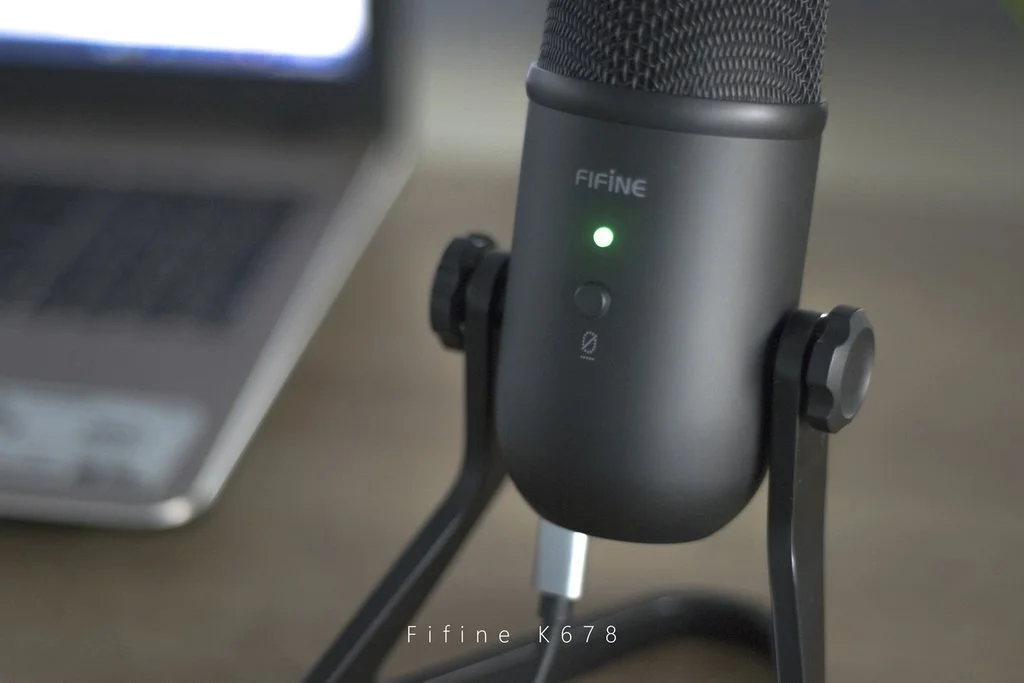
Review and Comparison Between FIFINE K678 and the Blue Yeti Microphones
In this video review, I compare the FIFINE K678 and the Blue Yeti Microphones.
In this video review, I compare the FIFINE K678 and the Blue Yeti Microphones.
🎤 FIFINE K678 https://amzn.to/3lfM5Hd
🎤 Blue Yeti https://amzn.to/3j3r6op

Toggle Audio Playback On or Off in Adobe Captivate
In this video, I will show you how you can toggle audio playback on or off in your Adobe Captivate eLearning project.
In this video, I will show you how you can toggle audio playback on or off in your Adobe Captivate eLearning project. $5 or more members of my YouTube channel can download this project file to explore in greater detail.

3 Things to Improve Audio with Adobe Audition
I applied the three things I like to do to my audio narration files before I import them into Adobe Captivate.
In this video tutorial, I will show you 3 things to improve your audio with Adobe Audition. I recently received some audio narration files from my client that were less than ideal. I applied the three things I like to do to my audio narration files before I import them into Adobe Captivate.

Stop Audio on Slide Revisits in Your Adobe Captivate eLearning
In this video, I show you how you can use a variable and simple advanced action to prevent a slide's audio from replaying on subsequent revisits.
In this video, I show you how you can use a variable and simple advanced action to prevent a slide's audio from replaying on subsequent revisits. This is useful for slides that contain audio instructions but important on-screen text that learners may wish to review. If your course has many such slides you can save this advanced action as a shared action and apply the same logic to many slides throughout your course. Free Download Members of my YouTube Channel can download this project file for their own use.

Drag and Drop with Unique Feedback Captions
In this video tutorial, I show you how you can have unique feedback for each drag in a drag and drop interaction in your Adobe Captivate project.
In this video tutorial, I show you how you can have unique feedback for each drag in a drag and drop interaction in your Adobe Captivate project.

Drag and Drop When More Than One Correct Answer is Needed
In this video tutorial, I show you how you can create a question using drag and drop when more than one correct answer is needed.
In this video tutorial, I show you how you can create a question using drag and drop when more than one correct answer is needed.