

Remove the Audio from a Video for your Adobe Captivate eLearning Project
In this video, I show you how to remove audio from a video for your Adobe Captivate eLearning project. This procedure can be used for any other purposes as well. These procedures assume you have Adobe Captivate installed on your computer because Adobe Captivate comes with Adobe Media Encoder. This procedure is acceptable if you only have Adobe Creative Cloud installed since Media Encoder is part of the Creative Cloud.
In this video, I show you how to remove audio from a video for your Adobe Captivate eLearning project. This procedure can be used for any other purposes as well. These procedures assume you have Adobe Captivate installed on your computer because Adobe Captivate comes with Adobe Media Encoder. This procedure is acceptable if you only have Adobe Creative Cloud installed since Media Encoder is part of the Creative Cloud.

Combine Adobe Captivate Effects and Motion Paths
In this video, I show you how you can combine Adobe Captivate effects and motion paths for your online learning projects.
In this video, I show you how you can combine Adobe Captivate effects and motion paths for your online learning projects.

Guide to Attending Conferences in Las Vegas 2022
I've written this article at least once before; however, like most things in life, this is something that I feel has changed over the years. Therefore, I will break down this article into sections to make it easy for you to get the information you need about a particular aspect of staying in Las Vegas as quickly as you need it.
I've written this article at least once before; however, like most things in life, this is something that I feel has changed over the years. Therefore, I will break down this article into sections to make it easy for you to get the information you need about a particular aspect of staying in Las Vegas as quickly as you need it. When writing this article, I had just returned from the Adobe Learning Summit, obviously sponsored by Adobe, where I was a speaker. In this instance, I received compensation from Adobe to be there, but this is not usually the case. In about ten days, I will be returning to Vegas. While I won't have to pay a registration fee for the DevLearn conference, all my other expenses, including my flight, hotel, and any food outside the conference, are my own.
Freelance versus Employee
I don't think this matters too much. Most organizations want a return on their investment. While my expenses in Vegas are my own, and I can write them off as business expenses, many people fail to realize that you still have to have that money upfront to write off these expenses. When I was an employee who wanted to attend a conference, I needed to convince my boss to pay for such a trip. There usually was a per diem for things like food, and I would have to plan my time at the conference and show them what new knowledge and skills I would bring back from the conference. While you can still have fun at a Vegas conference, you must understand that it's not a vacation.
Flight

There was a time as a Canadian when discount airlines were few. Presently the two big airlines, Air Canada and Westjet, have some competition from newcomers Flair and Swoop. I could get a round trip to Vegas for the conferences I'm attending this month for less than $400. Now there are a couple of things about these flights. First, the flight fee is a seat they will randomly select for you on the aircraft. Discount airlines make money by charging for everything. Gone are the days when you get seat selection for free. There is a fee for even the most basic of seats. While it's not surprising that there is a fee to check your baggage, there is also a fee for more oversized carry-on items that you will stow in the overhead baggage areas. You are allowed a personal item, but it can only go in the space under the seat in front of you. Also, don't expect complimentary non-alcoholic beverages or snacks. Everything has a price tag attached to it. It's easy to expect to pay another hundred dollars or so for all these incidentals. Bring your snacks from home, buy them at the airport or purchase them onboard. You cannot get liquids through security, so you must buy beverages on the plane or from a retail store in the airport.
Tips, gratuities, taxes, and resort fees

In North America, there are some jobs where employers pay the employee less because it is customary to give gratuities to these types of employees. For example, taxi cab drivers, hotel porters, restaurant servers, and bartenders. Therefore, it would be best to remember to tip these employees whenever you use their services. While credit card machines have a preset percentage for selecting tips, fifteen percent is what is customary, and you should calculate fifteen percent on the price before tax. Hotel porters are the employees who wave down a cab or store your luggage after checkout. Keep some cash on hand for when you use their service. Three or four dollars would be a good tip for a porter.
Also, remember that most resorts in Las Vegas charge a 30 to 40-dollar daily resort fee. The resort will calculate this on your final bill; if you don't budget for it, you might be surprised.
Taxi or Rideshare

I've used Uber in the past, but I tend to stick with taxi cab companies these days. A few years ago, I left my mobile phone in the back of a taxi cab in Vegas. Using a taxi cab company made it easy to retrieve my phone. They were able to ship it back to me at my expense, but because I had a receipt, I could contact the company and make those arrangements. I'm not sure what would have happened if I had used rideshare that day.
Most taxi cabs charge a flat fee to and from the airport to key locations like the various hotels on the strip. For the Adobe Learning Summit, each way, it was $29. Add the customary 15% gratuity, and it comes to a little over $33.
Hotel
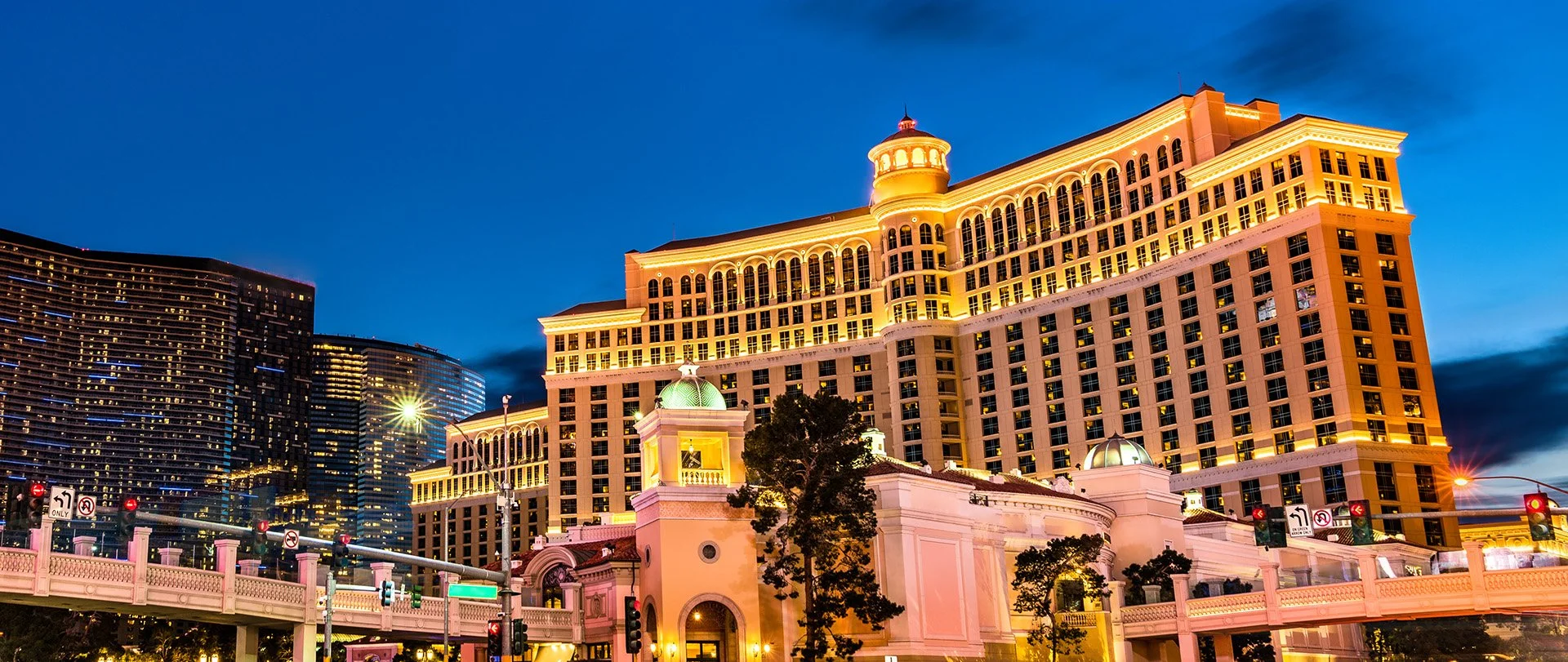
The conference will have negotiated special rates for your hotel room; however, you don't have to stay there to attend the conference. I would have recommended playing one of these resort casino games on your mobile device to earn enough points to get a complimentary room. However, this seems to be more challenging to earn enough points these days, so I'm no longer recommending this. Instead, I've looked to the same tools I would use to save money back at home. I found a great price at a neighboring resort using the Groupon app. It means I will have a short walk each day to and from the event, but I'm saving hundreds of dollars. Don't forget that daily resort fee I mentioned earlier. Make sure the discounted hotel is close enough to the event hotel to avoid additional expenses due to taxis or ride share. If you spend your savings getting to and from the event, there isn't much point. For DevLearn, I booked the Flamingo for a little over $200 for three nights. It's about a nine-minute walk to the Mirage, where DevLearn is located this year.
Food

Conferences like DevLearn will usually include lunch on each full conference day. So, unfortunately, you will likely be on your own for breakfast and dinner. So, first of all, I recommend that you don't overdo it, especially if you are a speaker at these events. The last thing you want is to burp up that spicy breakfast burrito while presenting your session. So instead, go to Mcdonald's and get a simple Egg McMuffin (the one with a slice of ham), a hash brown, and a coffee or juice. Not only is it affordable, but it's relatively low-calorie. I wouldn't usually recommend fast food for every breakfast, but it's not like you can cook for yourself while traveling. There are many choices for dinner, but remember, some of the restaurants in the resort can be expensive. Do your research and find some affordable alternatives out on the strip.
Souvenirs

I'm on Vegas trip number seven, so the need to bring back souvenirs has come and gone. If your family expects you to get them souvenirs, I would wait until you have some time to pick up those trinkets at the airport while you wait for your return flight. Could you save some dollars by searching for bargains on the strip? Sure. But remember you came to Vegas to attend a conference. Maximize your time by attending as many sessions as you can. This is your opportunity to learn new knowledge and skills to become better than you are today. I go there to present my session and attend other sessions. Also, don't discount the value of networking with other people similar to yourself. I have met dozens of people I call friends, and I count on these people for business opportunities.

Only Show Continue on the Adobe Captivate Results Slide If Learners Pass
In this video, I show you how to only show the continue button on the Adobe Captivate results slide if your learners pass the quiz.
In this video, I show you how to only show the continue button on the Adobe Captivate results slide if your learners pass the quiz.

Live Stream - Scenario-based Learning in Adobe Captivate | October 17, 2022
In this live stream, I will share with you the session I did at the Adobe Learning Summit in Las Vegas, NV. In this session, I will show you why Adobe Captivate 2019 is the ideal tool for developing scenario-based learning.
In this live stream, scheduled for October 17th at 10 AM ET, I will share with you the session I did at the Adobe Learning Summit in Las Vegas, NV. In this session, I will show you why Adobe Captivate 2019 is the ideal tool for developing scenario-based learning. In addition, I will be sharing some external tools and resources that can help you with your scenario-based learning designs. Follow this link to set a reminder for yourself, or use the link to join the live stream over on YouTube so you can participate in the live chat as well.

Hide a Next Button in Your Adobe Captivate Asset Store Knowledge Check Slides
In this video, I show you how to add and hide the next button in your Adobe Captivate Asset Store knowledge check interactions.
In this video, I show you how you can customize one of the Adobe Captivate Asset Store slides to include a hidden next button so you can force learners to complete your knowledge check.

Factory Reset Adobe Captivate
In this video, I show you how to factory reset Adobe Captivate if you have problems running the software.
In this video, I show you how to factory reset Adobe Captivate if you have problems running the software.

Demand for the Adobe Learning Summit is High
Scarcity seems to increase demand. The Adobe Learning Summit Creator Labs Track is sold out, and you can only put yourself on the waiting list.
Registration
Scarcity seems to increase demand. The Adobe Learning Summit Creator Labs Track is sold out, and you can only put yourself on the waiting list. The folks at Adobe probably wouldn't endorse this suggestion, but here is my conference hack for this event. The FAQ for the conference says the following about switching to sessions in another track. Yes, you can build your own schedule with a mix of sessions from both tracks. However, the first preference for sessions on either track will be given to participants registered explicitly for that track due to capacity restrictions. Any additional seats remaining will be available on a first-come, first-served basis based on availability.
So I advise that if you want to go to the Adobe Learning Summit in Las Vegas in two weeks, register for the Design Thinking and Strategy Track but attend the sessions you can. Keep in mind that they have invited additional speakers to accommodate the demand. For example, Joe Ganci and I will deliver the same session, so there will be two sessions on the same topic.
Here is the link to the registration site for this conference: https://adobe-learning-summit.elearning.adobeevents.com/
Recommended Sessions
I don’t need to tell you why I want to attend the Project Charm Test Kitchen or the What’s New At Adobe session, but I think you should make a concerted effort to attend the following sessions, and I’ll tell you why.
Keynote: Digital Persuasion - Ignite your Influence
Erin King will be presenting this session. She is a best-selling author and a successful entrepreneur. The session will discuss how to persuade people in the digital world. I know one of the things I’ve always found challenging is compliance with my online learning. So I want to attend this keynote to learn a thing or two to get more people to put their eyeballs on my material.
Learning Is The Missing Piece Of Your CX Culture Plan
I’m looking forward to learning from Katy Tynan about getting the customer experience mindset into the learning in an organization. CX is a topic that I’m passionate about, and I’m hoping she can provide some insight as to what we can do to improve organizations in this area.
Creating scenario-based learning using Adobe Captivate
Of course, I hope you attend my session. I will be there. In my eLearning developer journey, I learned that creating training that incorporates a storytelling aspect and choices for your learners is more engaging than regular training. Still, I will show you how easy it is with Adobe Captivate. My hope is this session will inspire you to take your eLearning from the same old dull “click next to continue“ type of course into something that will remind your learners of real situations they have encountered in the workplace. Not only that, but they will learn by seeing the consequences of their choices in the safe space of eLearning.
Staying in Vegas
Hotels
In past years I have recommended the MGM MyVegas app. You accumulate points by playing online casino games, which can be exchanged for great bargains in Vegas. I have found this year that the deals are not so great. In the past, I have exchanged my “coins” for complimentary nights in hotels. This time around, I had trouble booking nights as certain days were blacked out, and the price per night was much higher than I remember. This year I got a Groupon for Ballys across the street from the Mirage. Here’s the link if you want to be close but save a few dollars: Bally's Las Vegas Hotel & Casino - Las Vegas, NV
Food
The conference provides complimentary breakfast and lunch for all three days, so make sure you keep your per diem in your pocket for dinner, as there are some excellent restaurants in the area. Besides, the Mirage food is above average for hotel food, so even if you take a break from sessions at the conference, come down from your room and join the rest of us for lunch.
Last year at another eLearning-related conference, I went out for dinner at Carmines, located in the Forum Shops at Caesars Palace. It was fantastic, with significant portions and real authentic Italian food. Here’s the website: https://www.carminesnyc.com/locations/las-vegas
If you are on a fast food budget, there are several restaurants within walking distance from the Mirage. Do yourself a favor, and try something you can’t just get at home. I’m from the East coast, so In and Out Burger is a treat for me, and I would much more likely grab a meal there instead of McDonald’s or something else similar.
Stuff to do
You will be in Las Vegas for at least three days, and the conference doesn’t run around the clock. If you don’t get to Las Vegas too often, I recommend you get out of the hotel and see some stuff. There is so much you can do in the Vegas area. I have gone to shows, including several of the Cirque du Soleil shows, I already mentioned dining out, which can certainly be a form of entertainment, and of course, gambling.
Overall my message to everyone is to be careful. Be cautious whether you decide to venture out on your own or see if you can double your bank balance before leaving this unique city. Keep your wallets in your front pocket and assume that if a person or character offers to take a selfy with you, they expect a tip.

Live Stream - Instructional Design Job Interview Secrets | September 19, 10 AM ET
Join me online for a live stream on instructional design job interview secrets on September 10th at 10 AM ET.
Join me online for a live stream on instructional design job interview secrets on September 10th at 10 AM ET. Anyone can watch, but you must become a member to participate in the live chat and ask questions. Here's the link to join: https://bit.ly/JoinCp
You can watch here or get a better live stream experience here: https://youtu.be/X3VqLDolBHs
Here are the questions and the answers I prepared for myself: https://drive.google.com/file/d/1btSLF0ilvVf3h6QC2Pb68Vh85_oWiQTM/view?usp=sharing
Write these for yourself, and you will be better prepared for your next interview.
Click All Links Before Next Button Appears in Adobe Captivate 2019
In this video, I will show you how you can require learners to click all links before the next button appears in your Adobe Captivate slides.
In this video, I will show you how you can require learners to click all links before the next button appears in your Adobe Captivate slides.