
Streamlining Quiz Creation in Adobe Captivate with CSV Files
In this video, I show you how to import question slides from a comma-separated (CSV) file into your Adobe Captivate 12.3 project file.
Unlock the Power of Efficient, Scalable Quiz Creation in Adobe Captivate 12.3
Introduction:
Creating quizzes in educational software can be daunting, especially when dealing with large numbers. Adobe Captivate 12.3 significantly simplifies this process by allowing users to import quiz questions from a CSV file. This method saves time and enhances accuracy and consistency in quiz content across various projects or educational modules.
Understanding the Basics of CSV Files
CSV or Comma Separated Values files are fundamental tools in data manipulation that help organize large quantities of data into a simple, readable format. In Adobe Captivate, these CSV files allow for the bulk creation and importation of quiz questions. Users can list questions, answers, and other relevant data in a spreadsheet, which can be edited conveniently in programs like Microsoft Excel or simple text editors like Notepad.
Setting Up Your Quiz Questions in a CSV File
First, structure your CSV file by defining the essential columns: the type of question (like multiple choice or true/false), the points each question carries, the question stem, and the answer choices. In the video below, I show you each type of question with precise examples. For instance, for a multiple-choice question about the provinces and territories of Canada, the correct answer ten provinces and three territories. I marked with an asterisk to denote its correct choice, and additional wrong answers (distractors) are listed subsequently.
Importing Your CSV File into Adobe Captivate
Adobe Captivate facilitates an easy import process. After saving your edited CSV file, you need to open Captivate, start a new project, and choose to import the CSV through the file menu or directly on the new slide screen. The software smoothly integrates the content into your project, setting up each question per your document's configurations. This convenience is a game-changer for educators and instructional designers looking to deploy extensive tests or need frequent content updates without manually adjusting each quiz slide.
Managing Possible Errors During Import
I do highlight an essential aspect of the import process—error handling. If Captivate encounters issues with the CSV format, it doesn't leave you stranded. Instead, it provides an error log that points out exactly what needs to be adjusted, ensuring that users are aware of the issues and guided on how to resolve them effectively. This feature is crucial for maintaining the integrity of your quiz content and ensuring that the final outputs are as desired.
Benefits of Using CSV Files in Quiz Creation
Using CSV files for creating quizzes in Adobe Captivate offers multiple advantages:
Efficiency: Import hundreds of questions simultaneously rather than entering them individually.
Accuracy: Minimizes the risk of human error during data entry.
Flexibility: It is easy to update or modify quizzes by simply editing the CSV file.
Collaboration: Enables team members or subject matter experts who might not have Captivate to contribute directly to quiz content.
Conclusion
Importing quiz questions from CSV files is a powerful feature for educational content developers. More time to be spent crafting meaningful content and interactive learning experiences. Whether you're a teacher, trainer, or e-learning developer, understanding and using this feature can significantly enhance your productivity and content quality.
Call to Action
Are you interested in learning more tips and tricks about Adobe Captivate? Like, share, and subscribe to the Captivate Teacher channel on YouTube for valuable tutorials. If you need personalized help, consider hiring me for tailored one-on-one lessons to deepen your mastery of Captivate for your educational projects.
This integration promises to simplify question creation and ensure a robust mechanism for handling diverse question types and configurations, making it an essential skill for those working extensively with e-learning and quiz formats.
Adobe Captivate 12.3 - Export and Import Closed Captions
In this video, I show you how to export and import closed captions using the All-new Adobe Captivate 12.3 update.
In this video, I show you how to export and import closed captions using the All-new Adobe Captivate 12.3 update.
Adobe Captivate 12.3 - Image Editing Improvements
In this video, I review the image editing improvements in Adobe Captivate 12.3.
In this video, I review the image editing improvements in Adobe Captivate 12.3.
Ditch the Dual Monitors: Unleash Your Productivity with the Dell S3422DW Curved Monitor
Are you struggling with a cluttered desk and endless monitor juggling? The Dell S3422DW curved monitor is here to be your productivity game-changer. Say goodbye to clunky dual-monitor setups and hello to a panoramic workspace that will immerse you in your work.
Are you struggling with a cluttered desk and endless monitor juggling? The Dell S3422DW curved monitor is here to be your productivity game-changer. Say goodbye to clunky dual-monitor setups and hello to a panoramic workspace that will immerse you in your work.
Unleash the Power of WQHD Resolution
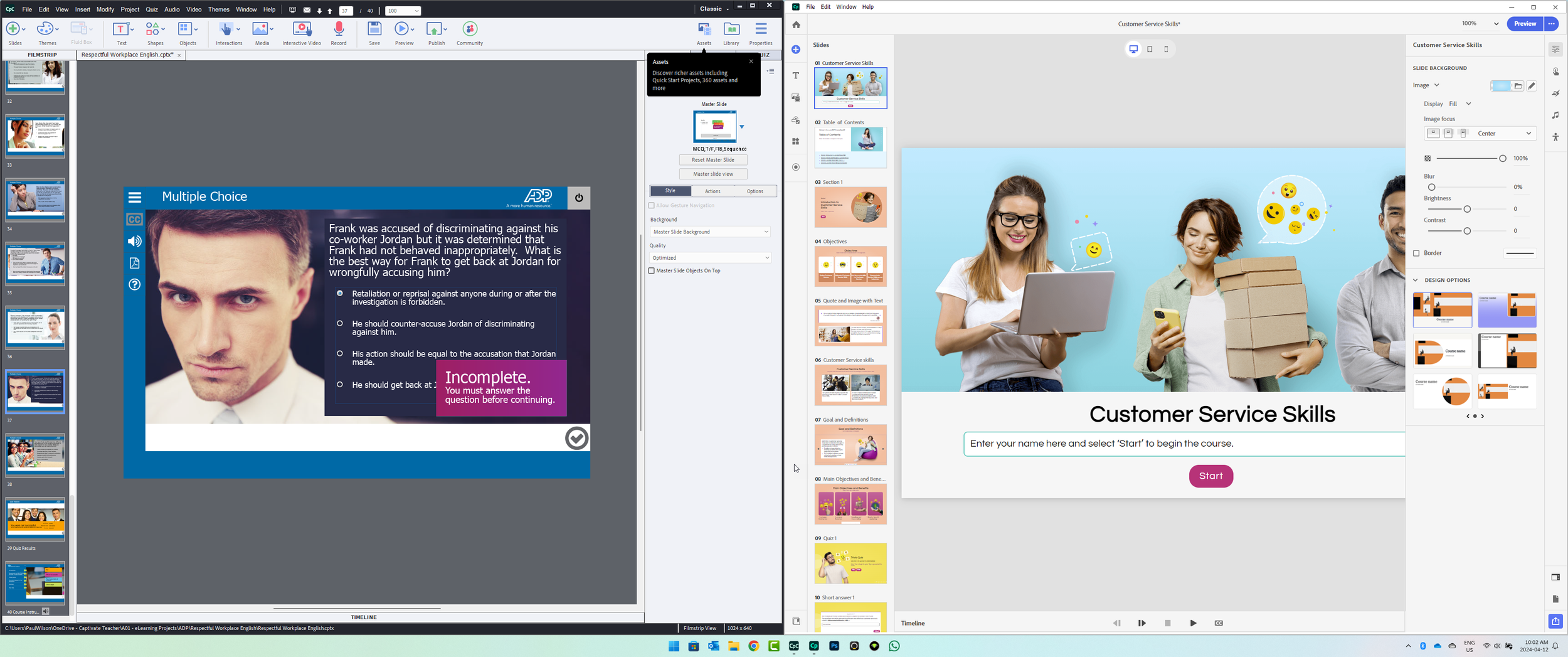
Adobe Captivate Classic and Adobe Captivate 12 on the same monitor
Imagine having two 1440p displays seamlessly integrated into one breathtaking 34-inch curved canvas. The S3422DW delivers stunning visuals with crisp details, perfect for having both Adobe Captivate Classic and the All-New Adobe Captivate onscreen as you update your legacy courses, eliminating the need to switch windows.
Designed for the Modern Professional
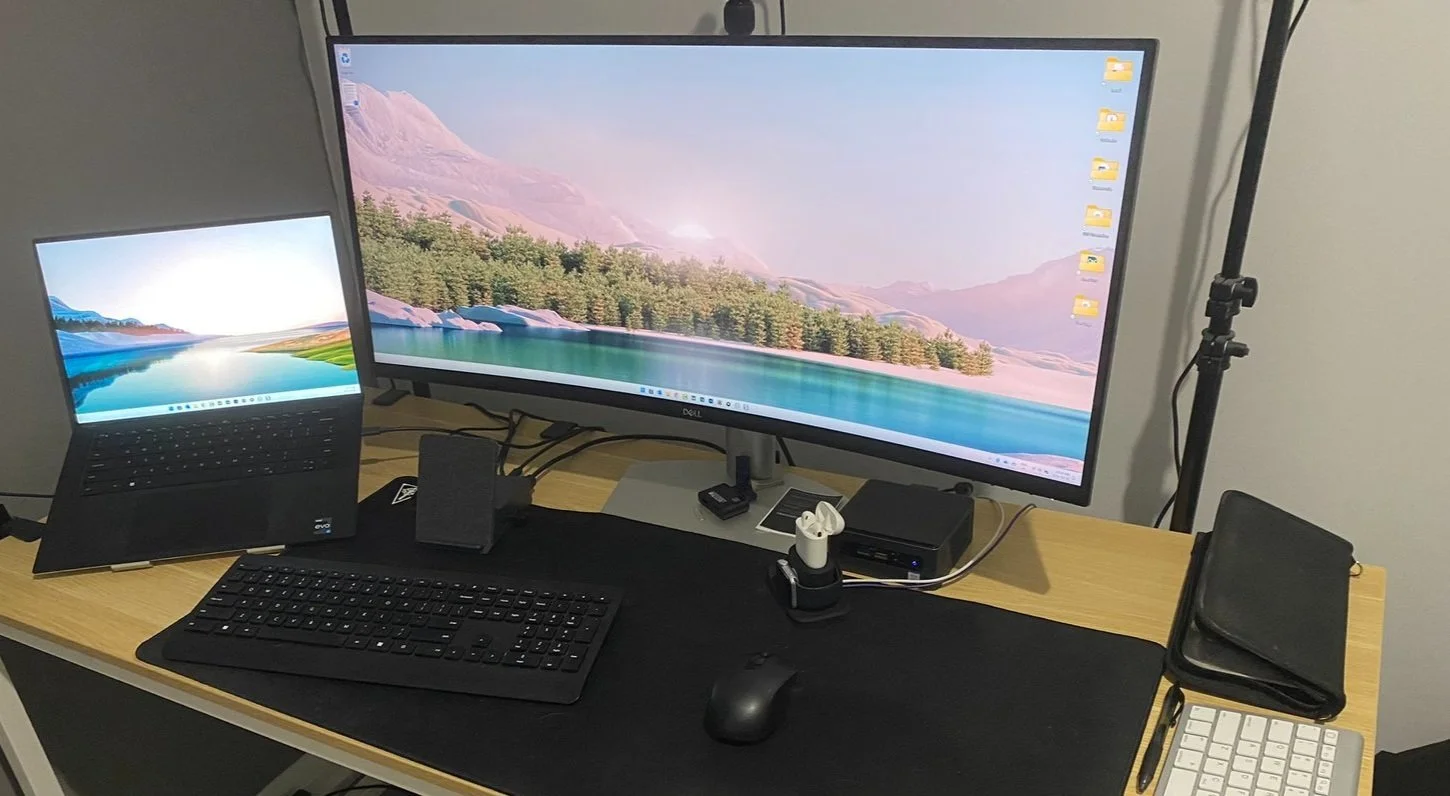
My desktop looks fantastic.
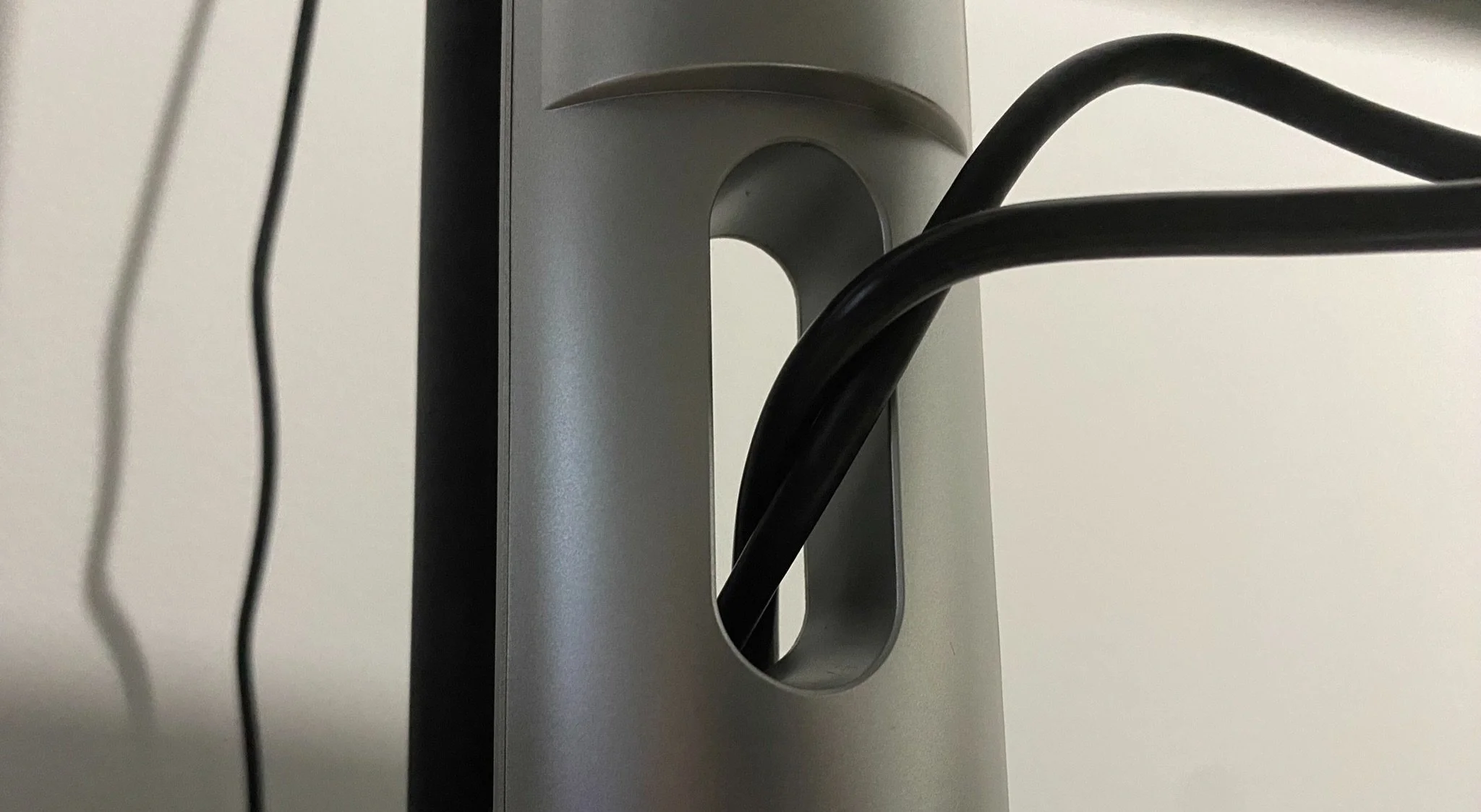
Minor cable management solution
The S3422DW boasts a sleek, modern design that complements any workspace. Adjustable height and a thoughtful cable management solution ensure a clutter-free environment that keeps you focused. Multiple connectivity options, including HDMI, DisplayPort, and USB ports, ensure compatibility with your existing setup.
Immerse Yourself in Comfort
The gentle curve of the S3422DW envelops your vision, creating a truly immersive experience. Whether tackling work deadlines or unwinding with a movie, your eyes will thank you for the reduced strain. While the built-in speakers are a nice bonus, audiophiles will likely crave a dedicated sound system.
Expand your connectivity: The S3422DW goes beyond just a display. It features a built-in USB hub with two downstream USB-A ports, perfect for connecting peripherals like your keyboard and mouse. Connecting the included USB-B cable to your PC unlocks this functionality. For crystal-clear visuals, choose from two HDMI 2.2 inputs or a single DisplayPort 1.2 connection. An audio line-out jack is also available if you prefer external speakers. The monitor even comes with an HDMI cable and USB-B cable for your convenience. Think of it as a mini docking station for your workspace.
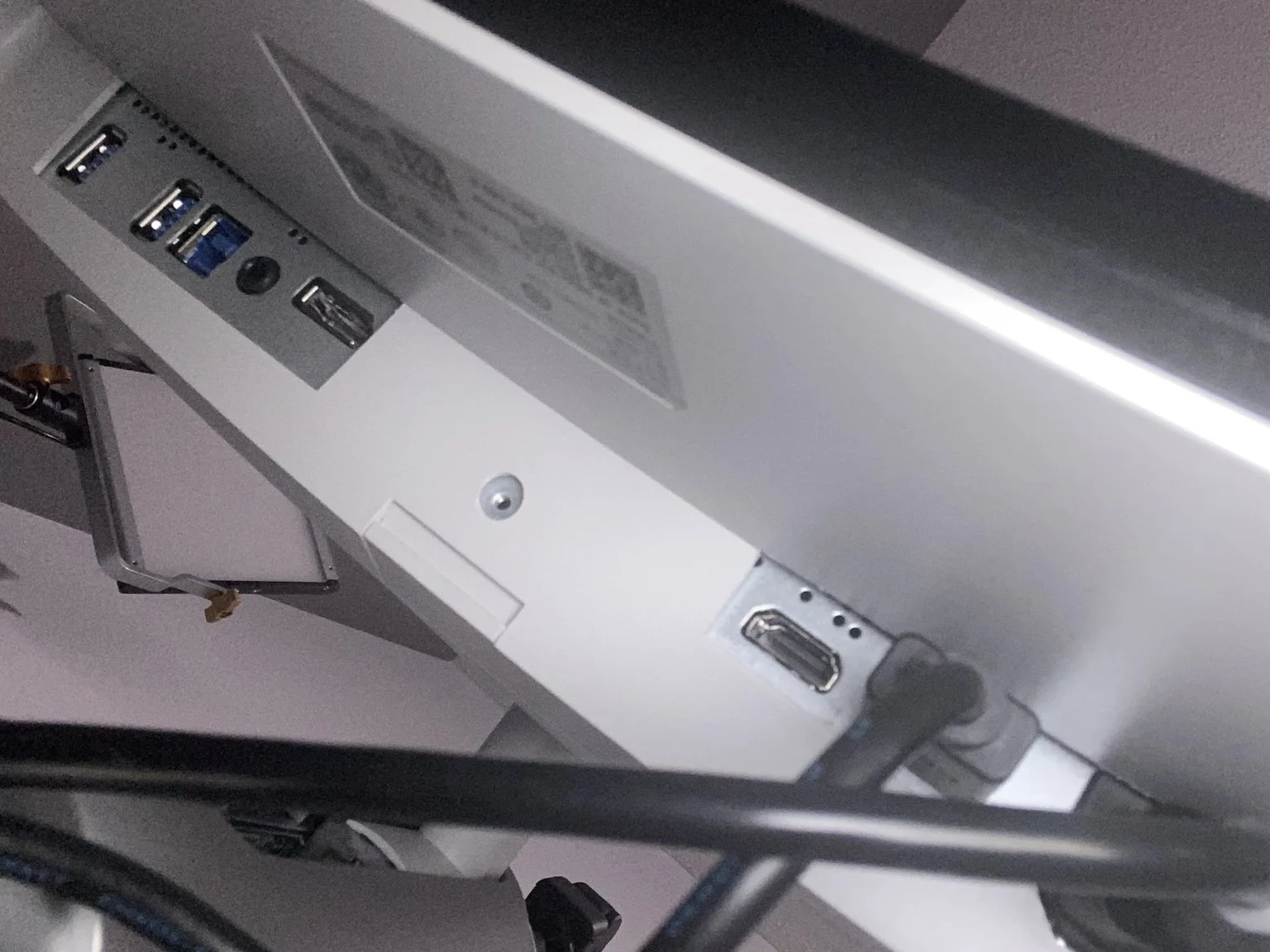
Connections
More Than Just a Pretty Face
The S3422DW isn't just about aesthetics; it boasts impressive functionality. FreeSync technology ensures smooth visuals during fast-paced tasks, making it an excellent choice for casual gamers.
The Verdict: A Productivity Powerhouse
While there may be monitors with more cutting-edge features, the S3422DW strikes a perfect balance between stunning visuals, exceptional functionality, and user-friendly design. It's a perfect fit for professionals seeking to boost their productivity and create a truly immersive workspace.
Custom Content Carousels with Audio Narration
Want to MAKE YOUR COURSES STAND OUT? This custom carousel with BUILT-IN AUDIO is your SECRET WEAPON! (Free Project File Included!)
Want to MAKE YOUR COURSES STAND OUT? This custom carousel with BUILT-IN AUDIO is your SECRET WEAPON! (Free Project File Included!)
Tired of the carousel widget? This video reveals a GAME-CHANGING trick to create ENGAGING CONTENT with AUDIO NARRATION for EACH ITEM!
Imagine: carousels that LITERALLY TALK to viewers, boosting engagement like never before! But there's a catch... This EXCLUSIVE VIDEO is only available to ALL-IN-ONE MEMBERS of my YouTube channel.
In this video, you'll learn:
How to build a CUSTOM CONTENT CAROUSEL ️using advanced interactions
How to add CAPTIVATING AUDIO NARRATION to EACH ITEM
Go BEYOND the limitations of Adobe Captivate's built-in widgets
This is your chance to:
Level up your content creation skills ⏫
Impress your audience
Stand out from the competition!
PLUS, you'll get a FREE PROJECT FILE to follow along and build your own audio carousel! Click the JOIN button on my YouTube channel to unlock this video NOW and enjoy other PERKS for All-in-One Members of my channel!
Adobe Captivate 12.3 - Share for Review
I reviewed the share-for-review feature in the new Adobe Captivate 12.3 update in this video.
I reviewed the share-for-review feature in the new Adobe Captivate 12.3 update in this video.
Learning From the BEST For FREE?! This Virtual Event Will Blow Your Mind (L&D Professionals Only)
Calling all learning and development professionals! Are you ready to dive into the future of learning? This year, Adobe Learning World 2024 is bringing together industry experts from across the globe for a virtual event packed with valuable insights and practical strategies.
Level Up Your L&D Skills at Adobe Learning World 2024!
Calling all learning and development professionals! Are you ready to dive into the future of learning?
This year, Adobe Learning World 2024 is bringing together industry experts from across the globe for a virtual event packed with valuable insights and practical strategies.
Here's why you can't miss it:
Industry Leader Lineup:
While I won't be speaking at both events this year (focusing on rocking the stage at Adobe Learning Summit!), Adobe Learning World boasts an incredible lineup of industry experts ready to share their knowledge.
Tailored Learning Tracks:
Whether you're a leader shaping L&D strategy or an instructional designer crafting immersive experiences, there's a track designed specifically for you. Deepen your expertise in the Learning Strategy Track or hone your design skills in the Learning Experience Design Track.
Global Convenience:
No need to worry about jet lag! Adobe Learning World caters to a global audience. Select your region to see sessions happening in your time zone.
Maximize Your Learning:
Divide and Conquer:
For teams attending, consider a "divide and conquer" approach. Each team member can attend different sessions and share key takeaways for a well-rounded learning experience.
Refine Your Schedule:
Don't get overwhelmed! Narrow your options by selecting your preferred track and filtering by "Thought Leadership" or "Hands-on Workshops."
Dive Deeper:
Are you curious about a specific speaker? Click on session names for detailed descriptions and speaker bios to curate your perfect learning journey.
Ready to Register?
Don't miss out on this incredible opportunity to learn from the best and stay ahead of the curve! Secure your spot at Adobe Learning World 2024 today:
See you there (virtually)!
Thank You For All the Support
This video is an unboxing of my 100k subscriber creator award from YouTube.
This video is an unboxing of my 100k subscriber creator award from YouTube.
Murf AI Studio and the Murf Voices Installer for Adobe Captivate
I review the Murf AI Studio and the Murf Voices Installer for Adobe Captivate in this video.
In this week's video, I’m excited to showcase the innovative Murf AI studio and its impressive Murf Voices Installer for Adobe Captivate. This powerful tool is designed to take your content creation to the next level, making it easier and more efficient than ever before. With Murf Voices Installer, you'll have access to a wide range of high-quality voices that will bring your eLearning projects to life. Don't miss out on this game-changing technology - watch the video today!
100,000 Subscriber Creator Award from YouTube
This video is an unboxing of my 100,000 subscriber creator award from YouTube.
This video is an unboxing of my 100,000 subscriber creator award from YouTube.