

Change Doesn't Always Equal Improvement
This latest update to the community site, in my opinion, is not an improvement for the end-user. The first issue is the layout. Across the top, you have the following sections.
The Adobe eLearning Community website was updated earlier this year. After several months of using it, I decided to write a review of the community website.
When Adobe told many of us about the concept of the community website at the Adobe eLearning Conference in Washington DC several years ago, I was excited. I was looking forward to seeing something very similar to what the Articulate community had in their eLearning Heroes website. At first, it was good. It was a place where people could ask and answer questions about software that sometimes is difficult to find. It was a place where I and others could write articles or post videos, and while it wasn't perfect, it was better than just having the Adobe eLearning forums.
This latest update to the community site, in my opinion, is not an improvement for the end-user. The first issue is the layout. Across the top, you have the following sections.

Blogs
Webinar
Tutorials
Certificate Program
Quick Start Assets
Discussions
Post here
Search
Notifications
and your profile icon
Adobe has further subdivided the Blogs section into the following subcategories:
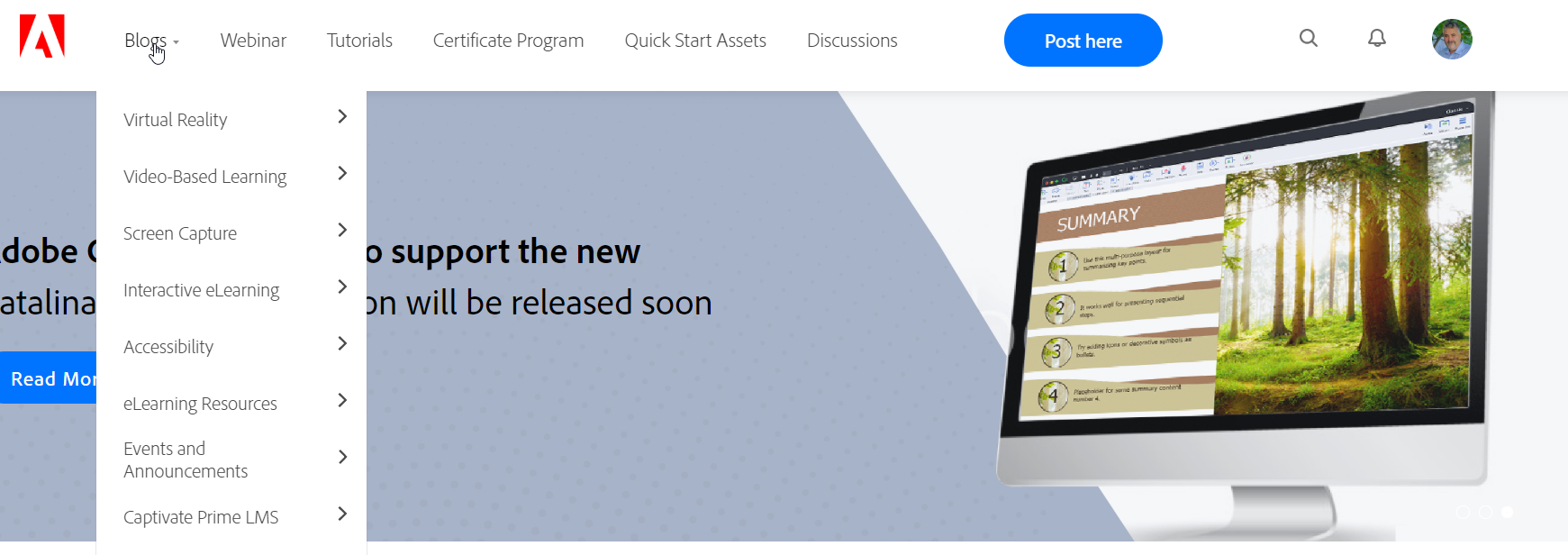
First layer of Subcategories
Virtual Reality
Video-based Learning
Screen Capture
Interactive eLearning
Accessibility
eLearning Resources
Events and Announcements
Captivate Prime
And if that were not confusing enough, there is a third layer of subcategories. I won't list them all, but just virtual reality alone has seven subcategories below it.
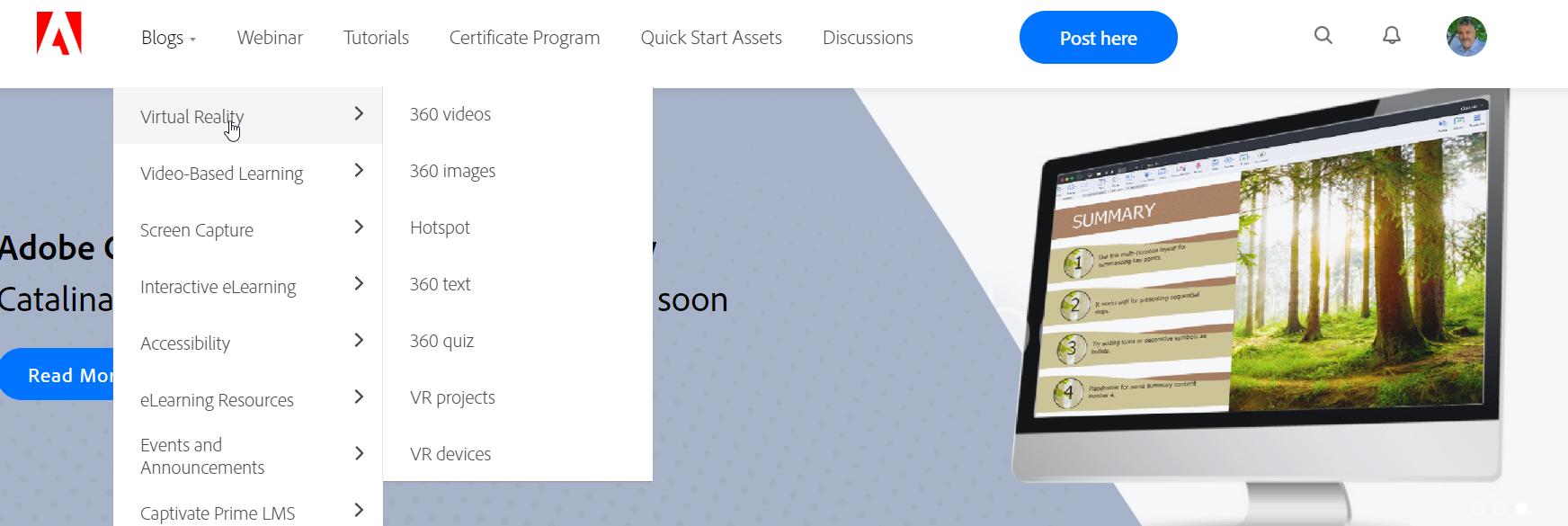
Two many nested sub categories
Having choices where to put content is crucial if you want a blog post to stand out from the hundreds of options, but there is such a thing as having too much choice. For example, if I created a blog post about a virtual reality project that included both 360-degree video and images, it potentially could apply to six of the seven subcategories in Virtual Reality. As a test, I went to find several of my recent posts, and I had trouble finding them.
I'd also like to point out that Adobe has also further divided the subcategories into the type of content. First, are video tutorials, but not like the ones I create. These are tutorials exclusively designed by the Adobe eLearning team. Some of them are quite good, but many seem to be trying to convince you that creating an eLearning course only requires 30 minutes of your time and is as easy as counting to three or four. Once you scroll past the Adobe built content, you see a list of upcoming Webinars. Wait, I thought we were in the Blog section.

Webinars that appear in the blogs section for some reason
Then if you scroll down a little more, you will finally see the user-created content. It's easy to miss, though, as you might give up looking for such content after seeing all the marketing hype.
A small point of contention with me is the thumbnails for the user-generated content. As a blogger to this space, I used to be able to upload my thumbnails for my blogs. Using my thumbnails was great because I could add my branding directly from my YouTube videos. It made it easy to find my content later, but it also made it easy for my followers to see my material as well.
So now that we have gone down the rabbit hole that is blogs, let's look at the Webinar section. I feel I've already seen it because it was buried inside the blog section as well. The webinar section is okay. However, there are no opportunities to post user webinars. These webinars are the ones sponsored by Adobe. You might see a webinar hosted by me someday in the future, but only if I was invited by Adobe to run such an event. Below the upcoming webinar section, are the recordings of past webinars. Webinar Recordings are welcome as I often find out about a particularly useful webinar only after the event has passed.
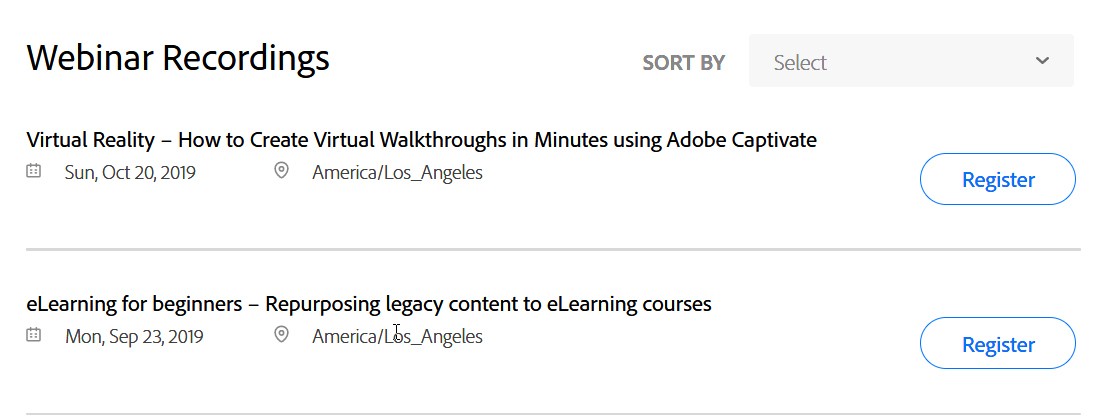
Past webinar recordings
The next section is the Tutorials section. The first of these is a series of marketing videos designed to promote the sales of Adobe Captivate. Most are one or two minutes long, and if you are considering purchasing Adobe Captivate, these are great. If you are expecting to learn the actual procedures on how to use Adobe Captivate, you will be disappointed. If you scroll further down the page, you will see some useful tutorials like the ones created by Pooja Jaisingh. This section can be expanded to see all the videos available in this category.

Tutorials that are actually marketing materials
Next is the section for the Certificate Program, which covers everything you need to help you decide if you would like to attend an upcoming Adobe Captivate Specialist Certification session. At the time I'm writing this, there are no future sessions. However, the page is still promoting the Las Vegas, Seattle, New York and Chicago sessions. It's been at least two weeks since any of these sessions occurred. If you click on register, Adobe thanks you for your interest, but there is nothing for you to do. Hopefully, they will start to plan more upcoming sessions in the future.

Past sessions of the Adobe Captivate Specialist Certification
The next tab brings you to a page about the Quick Start Assets. Clicking on the thumbnails that represent each of these Quick Start Assets will show three icons. The icons are View slides, Preview Project and Download. View slides will show you a thumbnail of all the slides included in the Quick-Start-Projects, The preview project shows you a published version of that project and the download saves a copy of the project file to your computer. All these project files are available directly from Adobe Captivate 2019 Update 2 or newer. Since these files are not compatible with any previous version of Adobe Captivate, my guess is the purpose is to create envy for users of earlier versions of Adobe Captivate. Perhaps this might convince more users to upgrade or subscribe to Captivate as a monthly service.
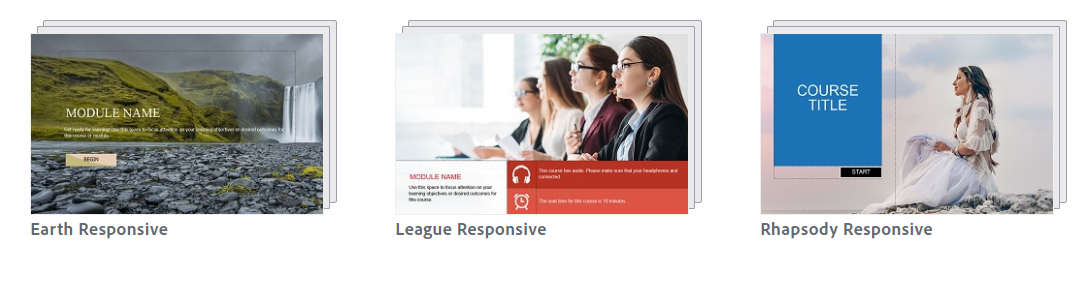
Showing Captivate users on prior versions what they’re missing
The next and final section before your ability to post and search through all the content is the Discussions section. Here is where Captivate users ask the questions in the hopes of getting answers to their challenges. Before this update, If a user had a problem they needed solving, the same question was posted to the more traditional Adobe User Forum for Adobe Captivate. Alternatively, questions asked on the forum were duplicated here also. As a person who frequently answers user questions, I could choose the platform I wished to monitor and do my best to help as many people as I could. Not so anymore. The two sites are no longer linked. Users who decide to try and help other users need to monitor both locations since Adobe no longer keep these two sites linked.
Furthermore, when compared to the Articulate eLearning Heroes site, Adobe relies on users like you and me to answer the questions about Adobe Captivate for fellow users. While regular users can answer questions on the Articulate eLearning Heroes site, they have a dedicated team of employees whose job it is just to help users with problems out. You might be thinking that Adobe doesn't have these people on staff. That would be incorrect. By my count, there are as many people from Adobe with similar roles as the folks over at Articulate.

Updated Adobe eLearning Community,
Adobe recently gave the community a facelift. As a frequent contributor, I found this a little jarring. The items I was used to using were no longer in the usual location. I've forced myself to learn the new site, and I thought I would share my thoughts.
If I recall correctly, Adobe announced The Adobe eLearning Community web site at the Adobe eLearning Conference in Washington DC in 2016. Users often criticized Adobe for not having the most up to date information available. It was positioned to be a hub where users could easily find the answers they were looking for but also interact with one another, thus the name community.
Adobe recently gave the community a facelift. As a frequent contributor, I found this a little jarring. The items I was used to using were no longer in the usual location. I've forced myself to learn the new site, and I thought I would share my thoughts.
Adobe has now divided Blogs into subcategories. At first glance, this makes sense, unless you are looking for content that may not be easily identifiable. For example, if you were looking for content related interactive video, you might expect to find that content under Video-Based Learning. However, you might also find that content under Interactive eLearning. To me, the greatest sin a web site can commit is forcing users to go looking for content in multiple places.
The next section is the Webinar section. While this is a great item to include, there is no opportunity to notify the community of your webinars that you might be hosting. I frequently run a weekly webinar or sorts called the eLearning Livestream. I fairly consistently run this on Monday's at noon eastern standard time. I would love the opportunity to post the details in this section, but there doesn't seem to be a way to do that. For right now this seems to be just for Adobe sponsored webinars.
The next section is the Tutorials section. The Tutorials section includes a series of tutorials that Adobe has produced. Great content but again there is no obvious way for me or others to contribute.
The next link brings you to what will be relatively static content related to the Adobe Captivate Specialist Certification Program. I believe this is a great program to get new Adobe Captivate users up and running. It would be nice if there were a section for Cp Specialist to communicate with one another, share ideas and perhaps ask questions of the instructors of the course. It would be a great way to build that sense of community.
Next is the Quick Start Assets. These are links to download the same ready-to-go slides and projects that are available in the Assets window of Adobe Captivate version 11.5.1.499. When you click on one of the project thumbnails, three icons are displayed. The function of the three icons is to allow you to view the slides from that project, preview the project, or download the entire project.
Next is Discussions. By default, Adobe displays popular Discussions; however, there is a search functionality to find discussions using keywords you enter. When you reach the bottom of the page, you can click on more to see presumably additional popular entries. I sort of wonder if a user asks a question that is not popular does that discussion even show up in this list. I'd like to know the answer to that. There used to be an exact duplicate of the questions asked on the Adobe eLearning Community over on the more traditional eLearning forums found here: https://forums.adobe.com/community/adobe_captivate. I found it useful because if I answered a fellow users question in one spot, I was also answering the question it in the other location as well. It seems that the forums are also about to under a change. It will be interesting to see what happens to the connection between these two sites. As an experienced Captivate user, I'm not interested in having to monitor two websites for information, updates, and to help other users like myself.
Next users like myself have an opportunity to Post a Blog entry, Sample Project or Free Asset, Video, Discussion, or Testimonial or Case Study. I'm assuming if I post items except for discussions that all these items will show up in the Blogs section. I'm curious how the subcategories work. The choices here do not match the subcategories in the Blogs section. The option for thumbnails for blog posts remains from before the changes. Upon searching through the site, it seems those thumbnails have been removed and replaced with generic thumbnails. I'm disappointed as thumbnails are the first impression of what I either write or create. Generic thumbnails give the site an unfinished feel. Perhaps Adobe wants the site to look more consistent. If so, my suggestion is to allow users to select one of the generic thumbnails when we post new content.
Notifications still seem not to work as expected. I continue to see notifications for discussions I was not involved with. I'm not sure if this has something to do with the fact I'm a moderator or not. But it would be nice not to be notified for what seems to be every post on the community site.
Perhaps this is my perception, but the improvements to the "community" page seem to mostly be about giving more of a voice to Adobe to continue to market their products and events. Of course, they should have this ability as it is their website. It would be nice to improve the areas where we as users contribute rather than to reduce our visibility and ease of use. It feels like less of a community and more of a marketing tool.

Easily Share your eLearning
In this video tutorial, I show you how you can share a published Adobe Captivate project with other eLearning professionals to showcase or review your work…
In this video tutorial, I show you how you can share a published Adobe Captivate project with other eLearning professionals to showcase or review your work.
How Did I Start Making YouTube Videos
While I don't believe in learning styles, I do believe people have preferences in how they might want to learn something. I myself prefer watching someone else perform a task and then repeat those steps building my muscle memory for those steps...
While I don't believe in learning styles, I do believe people have preferences in how they might want to learn something. I myself prefer watching someone else perform a task and then repeat those steps building my muscle memory for those steps. For example, about once per year, I found it necessary to remove the background from an image. I bookmarked this video created by Dr Allen Partridge, from the Adobe eLearning team.
This video inspired me to start making my own YouTube videos. Of course, at the beginning of my YouTube channel, there were 6 subscribers (one might have been my mother), so really the first videos on my channel were really just for me. One reason was that when I figured something out in Adobe Captivate, I would worry that I would forget what I did.
This week I decided to update Allen's video to include the latest version of Adobe Captivate and Adobe Photoshop as a way of honouring his influence over my YouTube career and my decision to start my own freelance eLearning design and development business. Thanks Allen!