

Adobe Learning Summit 2023, Las Vegas, Nevada
Adobe is once again hosting the Adobe Learning Summit 2023 at the Mirage Hotel in Las Vegas on October 2nd and 3rd, 2023.
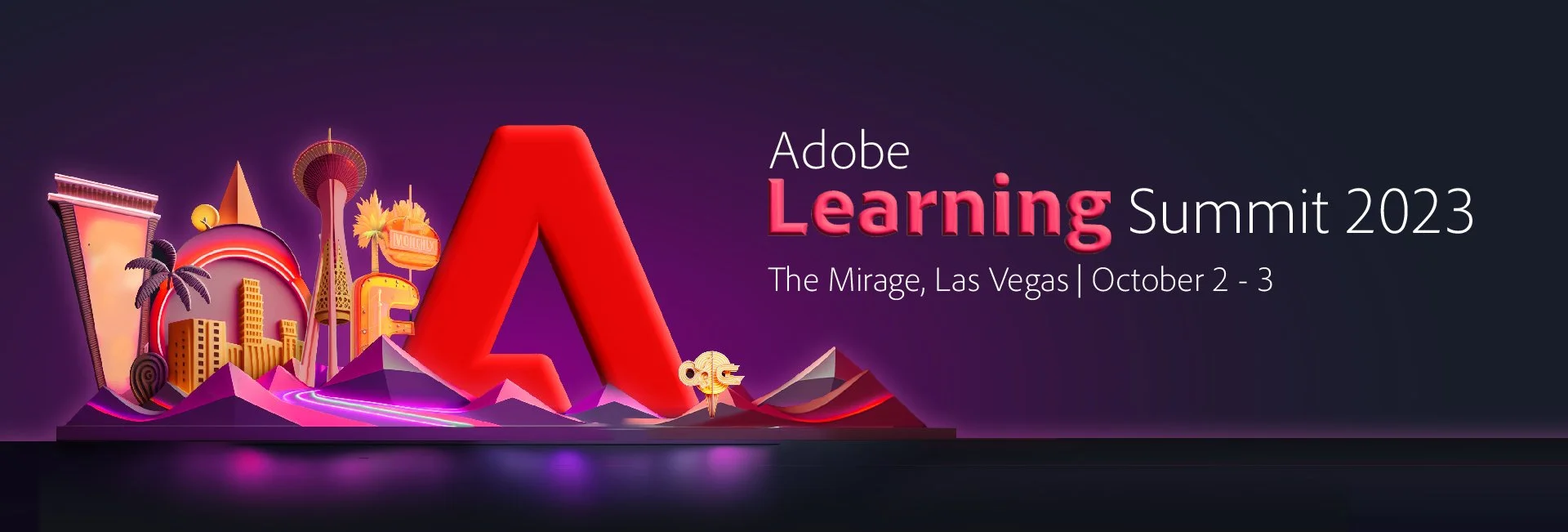
Adobe is once again hosting the Adobe Learning Summit 2023 at the Mirage Hotel in Las Vegas on October 2nd and 3rd, 2023. Adobe's online events during the pandemic were a good substitution for in-person conferences. Still, there is no substitute for attending these conferences in person. One of the conference's most important benefits is meeting my fellow Adobe Captivate users in person. I have developed business and personal relationships with many people I've met at these conferences, and I wouldn't trade these experiences for anything.
My experience
Being a YouTube creator is often a one-way experience; I put out content each week on Adobe Captivate or other learning technologies, and while your comments on the videos are a great way to get your feedback and find out what's happening in the industry, seeing, and hearing your feedback in person is tremendously valuable to me. I also love meeting each of you who supported me and allowed me to grow my YouTube channel into what it is today. Remember, I'm just another user of Adobe software. Please don't be shy; walk up and say hello if you see me.
Las Vegas
One of the remarkable aspects of this event is that Adobe holds this conference in Las Vegas, Nevada, at the Mirage Hotel and Casino. Adobe has negotiated a reasonable rate with the resort, and you can book your room directly through the conference website. Remember that other hotels are in the area, many within walking distance of the Mirage, so research what is best for you. I like to book with websites that can find you a combined rate with your flight to save some extra money.
Adobe could hold this conference anywhere in North America, but a genuine benefit of this conference is that they have it in Las Vegas. You'll want to attend as many sessions as possible during each of the two days of the conference, but that leaves you with lots of time to get out and explore all that Vegas has to offer. Even if you don't gamble, there are unlimited dining and entertainment options for you to enjoy.
Conference snapshot
There are two tracks of learning - the Creator Studio Track for creators of online learning and the Learning Strategy Track for people like learning and development managers and those in either customer experience or sales and marketing roles.
On both days, there will be more extensive sessions where everyone gathers for presentations from the Adobe eLearning team. Take advantage of these, as there tend to be incredible keynote presentations from industry leaders, cutting-edge information, and sneak peeks on upcoming updates to the software.
Remember that Adobe provides breakfast and lunch with your conference pass. If you are convincing your boss to send you to this conference, that's an important consideration to ensure they are aware of.
Creator Studio Track

Being an eLearning developer isn't just one set of abilities. You must often be adept in many of the creative skills. Adobe has arranged plenty of sessions and workshops for you. There will be sessions on:
Needs Assessment
Adobe Photoshop and Adobe Express
Course design documentation
Adobe Illustrator
Animation
Storyboarding
Video editing
Not unexpectantly, there are Adobe Captivate sessions on the following topics:
Custom design options
Course building
Interactive simulations
Custom interactions
Game-based learning
There will also be an opportunity for you to showcase your content.
My Session
I will conduct “Create custom interactions using the all-new Adobe Captivate,“ a one-hour session with a 30-minute Q&A. I intend to help new and previous users who want to script their actions to do a little more than just clicking next to go to another slide. I haven’t designed my session, but I’m considering teaching how to build a scenario-based interaction with click-to-reveals that include audio and multi-state objects. Don’t hold me to that, but I promise if you like getting under the hood of the software you use, you will enjoy my session.
Learning Strategy Track

If you decide to inform your manager ;) about the Learning Strategy Track, here is a breakdown of what Adobe's has for them:
Unlocking your organization's potential with continuous learning
How AI Innovations are impacting organizational learning
Creating impactful employee experiences
Connecting employees and learning for total experience excellence
Evolving into a business-driven learning function
Skills to ride the wave of digital in L&D as an L&D leader
Drive high-velocity business performance in a hybrid world
Accelerating performance through engagement strategies
Leveling up knowledge quotient for channel partners with gamification
Virtual engagement studio
The missing link in your CX: customer training
individualize training to enable the workforce of the future
Building informed strategies from comprehensive learning data
Adobe Professional Certification

One tremendous benefit of the Adobe Learning Summit is that each participant will get access to the online curriculum for the Adobe Professional Certification. Once ready you can complete the proctored exam and gain this certification. Not only will you have the knowledge and skills to expertly navigate Adobe Captivate but you will have the certification to prove it. Adobe normally sells this course and exam for $499. Considering what you would pay for the conference fee, this certification doesn’t end up costing you or your organization anything at all.
In conclusion
I hope to see you there at the Adobe Learning Summit 2023, and if you decide to go there, I hope you attend my session on the all-new Adobe Captivate. I promise you will walk away with more knowledge and skills than when you started.

DevLearn 2021 Session — Making eLearning Magic with Adobe Captivate
In this session, you’ll learn how to take your Adobe Captivate advanced interactions from drab to fab.
I wanted to provide all of you with a quick summary of what to expect from me at the upcoming DevLearn conference to be held in Las Vegas.
I’ve heard the complaints. 2019 was two years ago. When are we getting a new version of Adobe Captivate? Actually, it came out in the summer of 2018 so it’s actually over three years old. Yes, there have been half a dozen or so updates to the software over those years in service, but eLearning authors like you and me want something that looks brand new. We want our training to be cool and sexy. We want to look like eLearning rockstars.

Rock Star
There are these interactions we all know how to build in Adobe Captivate 2019. You have a click to reveal where you click a smart shape used as a button and your course displays some supplemental content. You also know how to build a content carousel that cycles through information on screen. Of course we have the in-built question slides that haven’t been updated since…well, since forever. We want to engage our learners but some of these interactions are pretty drab.
In this session, you’ll learn how to take your Adobe Captivate interactions from drab to fab. We’ll start with learning how you can improve your click to reveal interactions to make them look like 3-D flip cards. You’ll also learn how to create a content carousel that presents content to your learners using a cool animated effect. Next, you’ll discover how to build an information wheel that works off a single click to progress through the information. Lastly, you’ll find out how to build a knowledge check slide that doesn’t use the in-built question slides that learners have seen a thousand times before. You’ll leave this session with new tools to put in your eLearning toolbelt that will make your eLearning look like magic.
In this session, you will learn:
How to track your learner’s progress through interactions using Adobe Captivate variables
How to write advanced actions that include a variety of actions that when combined create interactions that are truly engaging
How to use effects in your advanced actions that will make your eLearning appear like magic
How you can repurpose what you’ve learned in this session into your new eLearning projects in seconds instead of hours, and look like an eLearning superstar
My session is on October 20th from 3 PM to 4 PM. It’s marked as a BYOD session but you don’t have to work on these exercise files I will be providing free of charge during the session. You will get a template along with a completed version of the project file to take with you and easily use in your own projects right away.
But you can’t get this material unless you register and attend.

The Risk of Online Only Conferences in the eLearning Industry
Now that the Adobe eLearning World 2020 online conference has concluded, I’m very interested to see what the future looks like for Adobe eLearning conferences. For over a decade, Adobe has hosted live events like the Adobe eLearning Conference and the Adobe Learning Summit. I have it on proper authority that they have cancelled the Adobe Learning Summit, initially scheduled for October 26-27th at the Mirage hotel in Las Vegas. They are official sponsors of this year’s DevLearn conference, which the eLearning Guild has planned for October 21st-23rd. The organizers of DevLearn have asked me to speak at this event, but it’s clear from the DevLearn website that there is a possibility that they may move to an entirely online format if COVID-19 persists into October.
Now that the Adobe eLearning World 2020 online conference has concluded, I’m very interested to see what the future looks like for Adobe eLearning conferences. For over a decade, Adobe has hosted live events like the Adobe eLearning Conference and the Adobe Learning Summit. I have it on proper authority that they have cancelled the Adobe Learning Summit, initially scheduled for October 26-27th at the Mirage hotel in Las Vegas. They are official sponsors of this year’s DevLearn conference, which the eLearning Guild has planned for October 21st-23rd. The organizers of DevLearn have asked me to speak at this event, but it’s clear from the DevLearn website that there is a possibility that they may move to an entirely online format if COVID-19 persists into October.
I suspect that with the success of Adobe eLearning World 2020 that Adobe may be less inclined to hold live and in-person events in the future. For me, one of the most significant benefits of these conferences was networking and social activities. Sure, you can learn a similar amount of material online as you can from in-person sessions, but the side discussions out in the hall is a great way to learn as well. I enjoy meeting new people, and these conferences have also opened additional work opportunities that would otherwise not be there. Perhaps Adobe could create additional chat rooms that serve a less formal component of the conference, such as giving participants a live forum to have conversations and share ideas and best practices.
As a business owner who has very few business expenses to write off at the end of the year, these conferences have allowed me to have a relaxing time and promote my business as well. I’ve certainly enjoyed the entertainment part of staying in a Las Vegas resort. Relaxing by the pool while back at home my neighbours are already wearing winter coats is extremely wonderful. I’ve also gone to dinners with existing and potential business colleagues. While we do discuss the eLearning industry, we also enjoy having a great meal together and discussing other topics of interest as well. I’ve even done a little gambling. It’s nice to enjoy your work and get a tax write off as well.
One such interaction that has proven to be very successful in my business was meeting James and Susan Kingsley from ReviewMyElearning.com. Review my eLearning is a service that allows eLearning developers to share prototypes of their eLearning with stakeholders and other reviewers before you upload it to your organization’s LMS. Without Susan and James, I may not have learned about this invaluable service and just as importantly I may not have met two wonderful people I now consider my good friends and business colleagues.
Most of my work these days is teaching other Adobe Captivate users the skills that I’ve learned over my fifteen years as an eLearning developer. It was through the conferences that I met Kevin Siegel. Kevin is the Founder and President of IconLogic. Iconlogic is the leading provider of online software training in North America. Kevin is also the Founder and President of the International Council for Certified Online Training Professionals. Meeting Kevin led me to discover the Certified Online Training Professional (COTP) certification. I enrolled and successfully completed this program. The certificate and badge that goes along with this certification are great, but the real benefit is that I am now a better online training professional for all my clients. I highly recommend that you complete this valuable certification if you do something similar to what I do.
Of course, the benefit of an online event is more inclusivity. First, people from all over the world can participate. With past Adobe Learning conferences, located in Las Vegas and Washington DC, only a limited number of people are close enough to these events to make them worthwhile. Washington, DC, is about an hour flight from where I live, and Nevada is only about a four-hour flight for me. However, I know that most of the Adobe eLearning team are from India. I can’t imagine what their flight time experience must be like. Additionally, though, there are many other would-be participants in remote locations who have been asking for years for additional conferences closer to their homes. I understand Adobe’s reluctance to host events in certain countries. Certainly, in North America, there are hundreds of thousands of Captivate users. I’m sure not all regions can say this. An online conference can be attended by everyone, even if it means getting up earlier or staying up later than what you would normally.
Additionally, there is no cost associated with these live events. I’ve always said that the Adobe conferences are the best deal in eLearning conferences since they are complimentary. When you compare that to most of the conferences, I’m aware of in our industry, registration alone is well over $1,000, not to mention the expenses associated with travel and accommodation. The only cost of attending an online conference is one of your time. You need to block this time on your calendar. If you are a freelancer like I am, time spent on professional development is a time when you are not earning. Of course, do not forget what industry we work in. Professional development is what we do. To borrow from Stephen Covey’s The 7 Habits of Highly Effective People, if we are not “sharpening our saws,” in other words, if we are not upgrading our tools and increasing our knowledge, our effectiveness goes down.
So, I’m all for online conferences, both as a speaker and as a participant. I do hope that Adobe and other organizations that host online conferences consider what they can offer to ensure there are opportunities to network and interact in an informal way. One that can facilitate meeting the wonderful people I’ve met by attending these conferences in the past.

What to Expect at the Adobe Learning Summit 2019 | Sept 2, 12:00 PM EDT | 16:00 UTC
Many of you may be attending the Adobe Learning Summit in Las Vegas for the first time this fall. You may also be undecided if you want to go. In this eLearning Livestream, I'm going to talk about my experience as a presenter but more importantly, I will be discussing my experience as an attendee. I can give you some hints and tips for making it a truly rewarding and productive experience. Also, I will answer any questions in the live chat.
Sorry for the short notice. Originally I wasn't going to livestream on Monday because of how much work I needed to get done before the Adobe Captivate Specialist session on the 11th, my vacation on the 18th and the Adobe Captivate Specialist session on October 2nd and the Adobe Learning Summit on the 3rd, but I figured this would be a fun topic to cover about one month before the actual summit.
Many of you may be attending the Adobe Learning Summit in Las Vegas for the first time this fall. You may also be undecided if you want to go. In this eLearning Livestream, I'm going to talk about my experience as a presenter but more importantly, I will be discussing my experience as an attendee. I can give you some hints and tips for making it a truly rewarding and productive experience. Also, I will answer any questions in the live chat.
Join the livestream here if you wish to use the live chat: https://youtu.be/hRwbvQl7Zi0
The Adobe Learning Summit / DevLearn
I must be drunk. I've known about the fact that I'm conducting a session at the Adobe Learning Summit, for some time now, and I haven't posted anything about my attendance there. The Adobe Learning Summit is co-located with DevLearn.
Anyway, here are the details of this event.
Devlearn is from from November 16 until the 18 at the MGM Grand Hotel in Las Vegas. To attend the Adobe Learning Summit you require a separate fee, however the good news is that right now the price has been reduced from $395 to $249. You will have an opportunity to not only attend my session, but you'll also get to attend up to three other hour long events. Alternative you attend one of two Hands-on events which will have some true industry experts teaching you how to get the best out of Adobe Captivate.
Here is a link to the event
https://www.elearningguild.com/DevLearn
and a specific link to information about my session on mLearning in 60 minutes. You should show up just to see if I make it.
103 Create mLearning in Less than 60 Minutes
I hope to see you all there.